











The puntit app provides mobile access to Puntit's betting and account services on a smartphone or tablet. Whether you follow Irish and international sport, enjoy casino games, or want to manage your account while away from a desktop, mobile access can be a convenient option. This guide explains download and installation options, key features, security steps and common solutions if the mobile platform does not work as expected.

What Is Puntit App?
The Puntit app is a mobile gateway to the Puntit sportsbook, casino area and account management tools. It is intended for players in Ireland who prefer to place bets, browse markets and review account information without using a desktop computer. Touch navigation makes it easier to move between sections, although the exact layout and available functions may depend on the current version of the service.
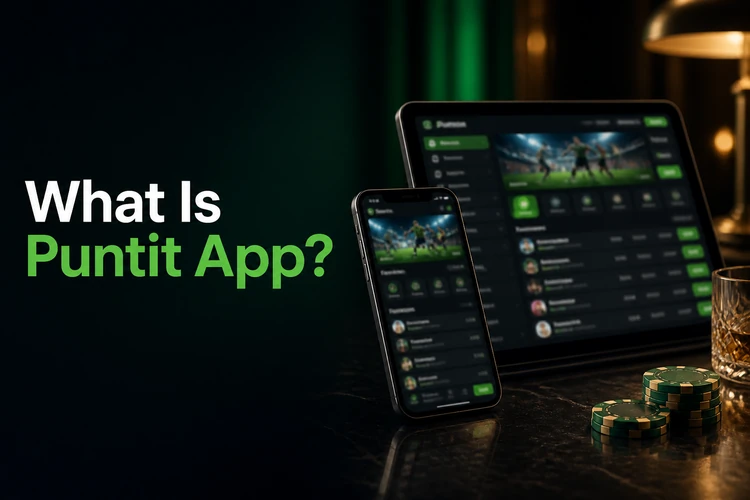
Typical use cases include checking odds before an event, following live markets during a match, or reviewing a bet while travelling. The responsive design can adjust to different screen sizes, from compact phones to larger tablets. Users should also remember that mobile access does not remove any account conditions, age requirements or responsible gambling obligations.
Puntit App Download
The safest place to check the puntit app download is the official Puntit website at puntitbet-ie.com. Open the site directly on your device and follow the download or access instructions displayed there. This helps you identify the current version and avoid modified files hosted by unknown parties.
Search results and third-party download pages can contain files that are outdated, altered or unsafe. They may include malware, request unnecessary permissions or fail to work with your device. If you see a puntit betting app download apk listing that is not linked from the official Puntit domain, treat it cautiously. Do not assume that an APK is official simply because it uses the Puntit name. If an official Android file is offered, the Puntit site should provide the relevant instructions.
Installation on Android
To check Android options, visit puntitbet-ie.com on your phone and look for the current installation guidance. Depending on regional rules and the service's distribution method, an Android version may be available through an official source or the mobile browser instead. Google Play availability can vary for real-money gaming services, so use only the route confirmed on the official site.
If the official instructions include a direct installation file, read each Android security prompt carefully and confirm that the file comes from Puntit's verified source. Before starting, check available storage, your Android version and your internet connection. Once installed, keep the app updated through the method specified by the service. Requirements can change when new versions are released.
Installation on iPhone
iPhone and iPad users can access Puntit through Safari or another mobile browser by visiting puntitbet-ie.com. The mobile website is designed to adapt to the screen and can provide access to core areas such as sports markets, live betting, casino content and account tools without a separate installation.
Whether a dedicated iOS app is listed in the Apple App Store depends on the current service version and regional store requirements. Check the official Puntit website before installing any listing. As an alternative, Safari's “Add to Home Screen” function can create a convenient shortcut. This does not install a separate app, but it gives quick access to the mobile browser version.
Main Features
The puntit betting app or mobile website may provide access to the main areas of the Puntit homepage. These can include a sportsbook with pre-match markets, in-play betting where offered, and a casino section featuring slots or live casino content. Availability can vary by account, location and current platform version.

Depending on the current service, mobile users may also be able to log in, register, make deposits, request withdrawals, review betting history and update account details. Notifications and promotional information may be available through account or device settings; they should not be assumed to be active on every version. Visit the Promotions page for current information rather than relying on an old notification.
Benefits of Using the App
Mobile access through the app or an optimised browser can be useful for everyday account management. Practical benefits may include:
- Quick access to your account from a compatible device in Ireland
- Touch-friendly navigation on smartphones and tablets
- Convenient access to pre-match and available live markets
- Fast movement between sportsbook, casino and account sections
- Secure login using your existing account details
- Optional notifications where supported by the platform
- Convenient deposit and withdrawal management
- Layouts that adapt to different screen sizes
- Access to betting history and account information
- No need to use a laptop for routine account checks
Security Recommendations
Mobile betting involves personal information and, where permitted, real-money transactions. Use puntitbet-ie.com or another source explicitly confirmed by Puntit, and avoid installation files shared through forums, messaging services or unofficial download pages. Keep your operating system, browser and app updated, and review permissions before completing an installation.

Choose a strong, unique password and never share it. A device PIN or biometric lock helps protect the account if your phone is lost. If two-factor authentication is offered in your account, consider enabling it. Be careful when signing in on public Wi-Fi, log out on shared devices, and check account activity for anything unfamiliar. For advice on keeping play within safe limits, see Responsible Gambling. 18+
Troubleshooting
Common problems with the mobile platform can often be addressed with a few basic checks:
- Installation fails: Check storage, operating system compatibility and the official installation instructions. Do not replace the official file with an unknown APK.
- Login does not work: Recheck your credentials, confirm the connection is stable and use the password recovery option if necessary.
- No update appears: Check the official site or the relevant app store, depending on how the platform was installed. Avoid downloading updates from third-party pages.
- The platform is slow: Close unused apps, test the connection and restart the browser, app or device.
- Compatibility problems: Update the device software where possible. Older phones may not support a newer version.
If the issue continues, use the Contact Us page to reach support. The FAQ section may also contain relevant guidance. The puntit app and its mobile access options can change, so check official information before downloading, installing or using the service.
FAQ
The Puntit app is Puntit's mobile platform for accessing available sports betting, casino and account-management services on a smartphone or tablet in Ireland.
Visit puntitbet-ie.com directly and follow the current download or mobile-access instructions. Use only sources linked or confirmed by the official website.
Android options can vary. Check puntitbet-ie.com for current compatibility and installation guidance, including whether an official app or mobile browser access is offered.
No third-party APK should be treated as verified. Use an APK only if it is provided or directly confirmed by puntitbet-ie.com, because unknown files may be unsafe or outdated.
iPhone and iPad users can access Puntit through a mobile browser. A dedicated App Store version depends on the current service and regional requirements, so check the official site.
Yes. Open puntitbet-ie.com in a compatible mobile browser to use the available mobile services without installing a separate app.
Use official access, update the app and device, choose a unique password, protect the phone with a PIN or biometric lock, and enable two-factor authentication if available.
Live betting may be available through the mobile platform, subject to current markets, account conditions and service availability. Check the sportsbook for the markets shown at the time.
Follow the update method shown by Puntit or check the relevant app store if the app was installed there. Do not use update files from unverified websites.
Try the mobile browser version, check your connection and confirm that the service is available for your device and location. For persistent issues, contact support through the official site.